Vital / Features
Everything inside Vital
Real screens from the real app. Sample data.
Vital is in closed beta, and this page lists what the app does today. Where something is limited or entered by hand, it says so. For anything that is part of the optional Premium plan, the app shows what each plan includes before you pay.
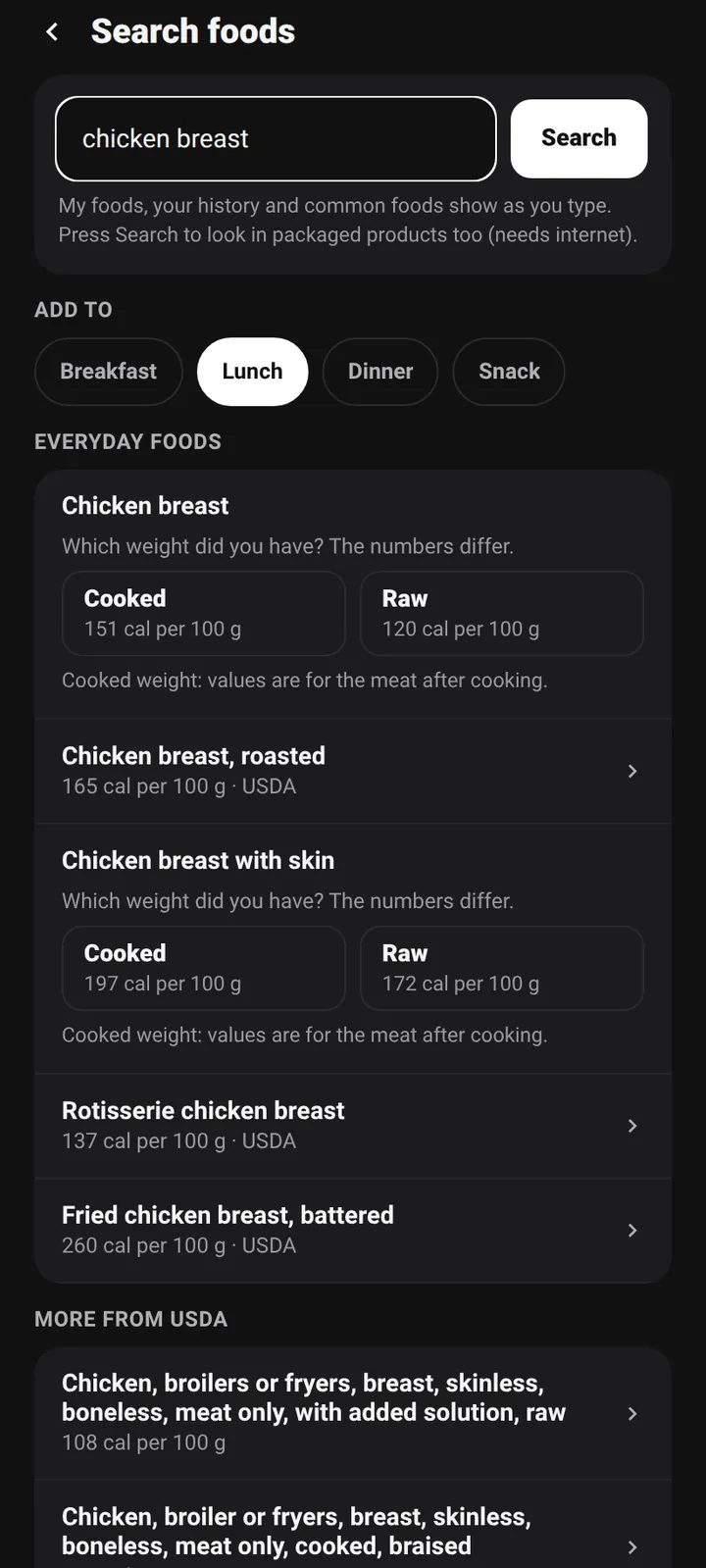
Food logging
Log it in seconds. Check the number.
- Scan a barcode, search a food, or type it in. Log a meal again, copy a day, or use quick add for calories alone.
- Every number shows its source: USDA FoodData Central for common foods (a list of 6,711 foods that works offline) or Open Food Facts for packaged products.
- If a product's calories do not match its protein, fat and carbs, Vital says so before you log it, and you can edit the numbers first. Anything you edit is marked as yours.
- Save meals, create your own foods, tag meals as breakfast, lunch, dinner or snack. Entries made offline wait on your phone and sync later.
Recipes and meal plan
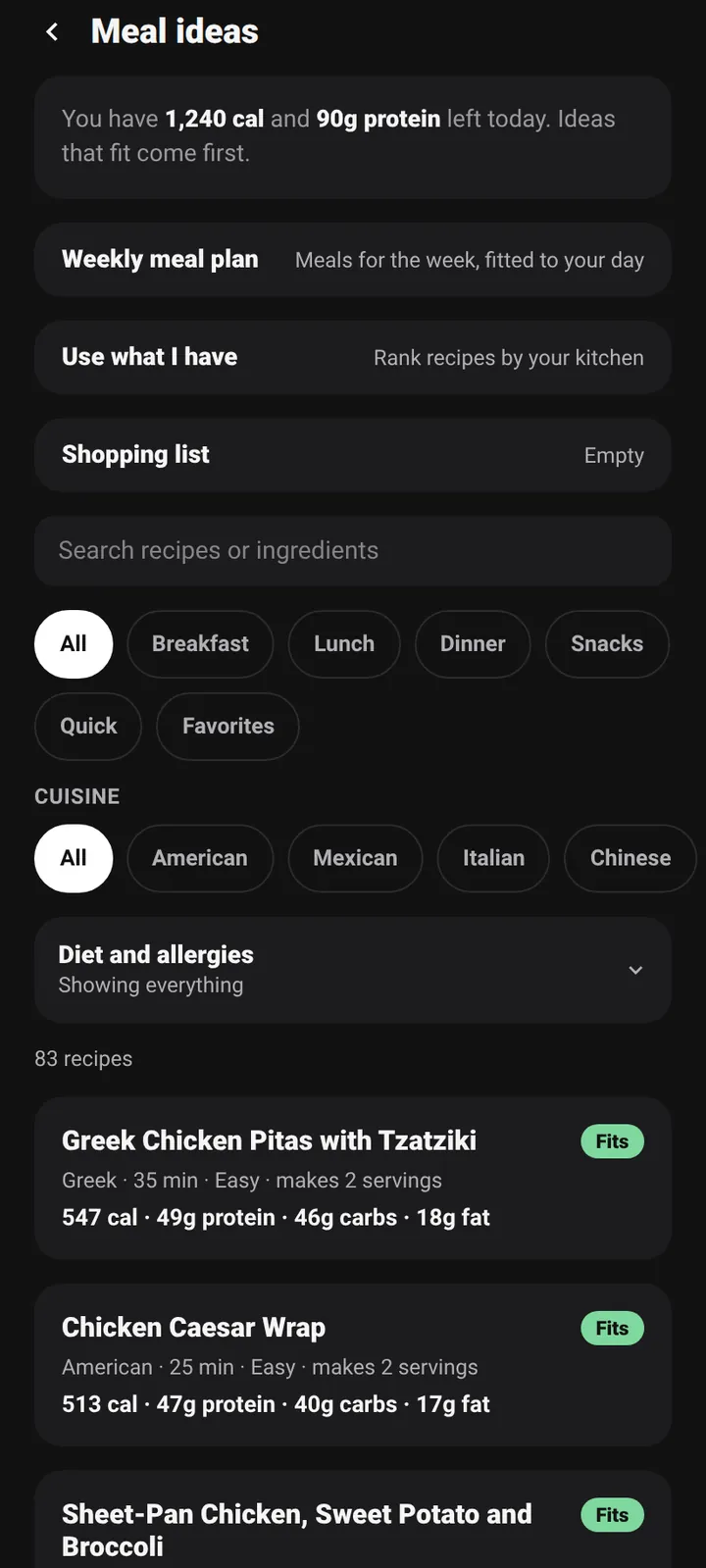
Cook from what fits your day.
- More than 80 recipes with cuisine, diet and avoid filters. Each one shows calories and protein, and a Fits tag appears when it fits what you have left today.
- Make a weekly plan sized to your calorie target, swap any meal, and turn the plan into a shopping list.
- "Use what I have" ranks recipes by what is in your kitchen. Recipes are suggestions, and nobody should treat them as allergy advice.
Workouts
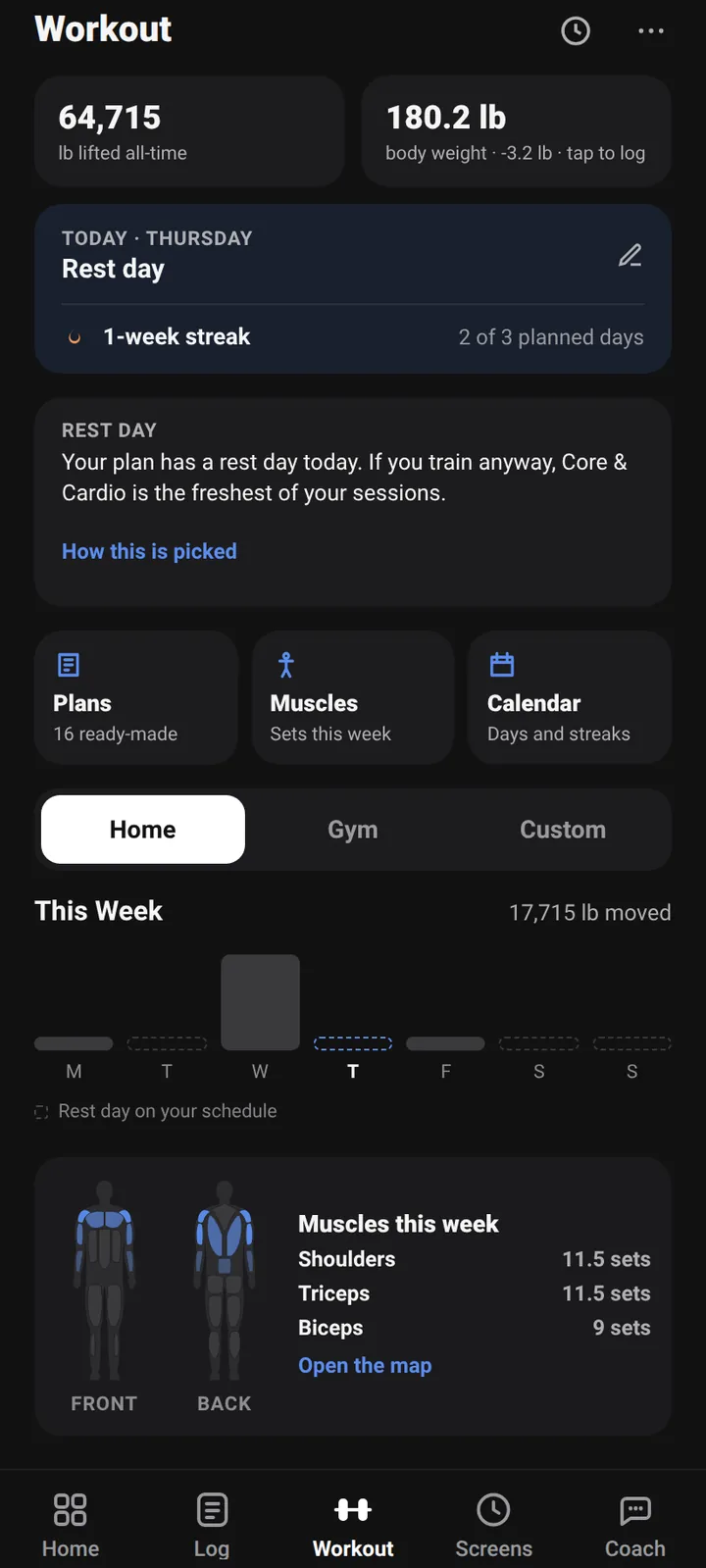
Lift, log, beat last time.
- Build your own program or start from one of 16 ready-made plans. Add your own exercises, and group sets into supersets.
- Log sets with a rest timer that survives the phone sleeping. See a personal record when you beat one, and edit a set later: your records update.
- The plate calculator works out plates per side. Estimated one-rep max uses sets of 1 to 10 reps, with the formula you pick (Brzycki is the default; Epley, Mayhew and Wathan are the others).
- After a workout, Vital suggests your next session from your last one and says why. You can switch suggestions off.
Muscle map
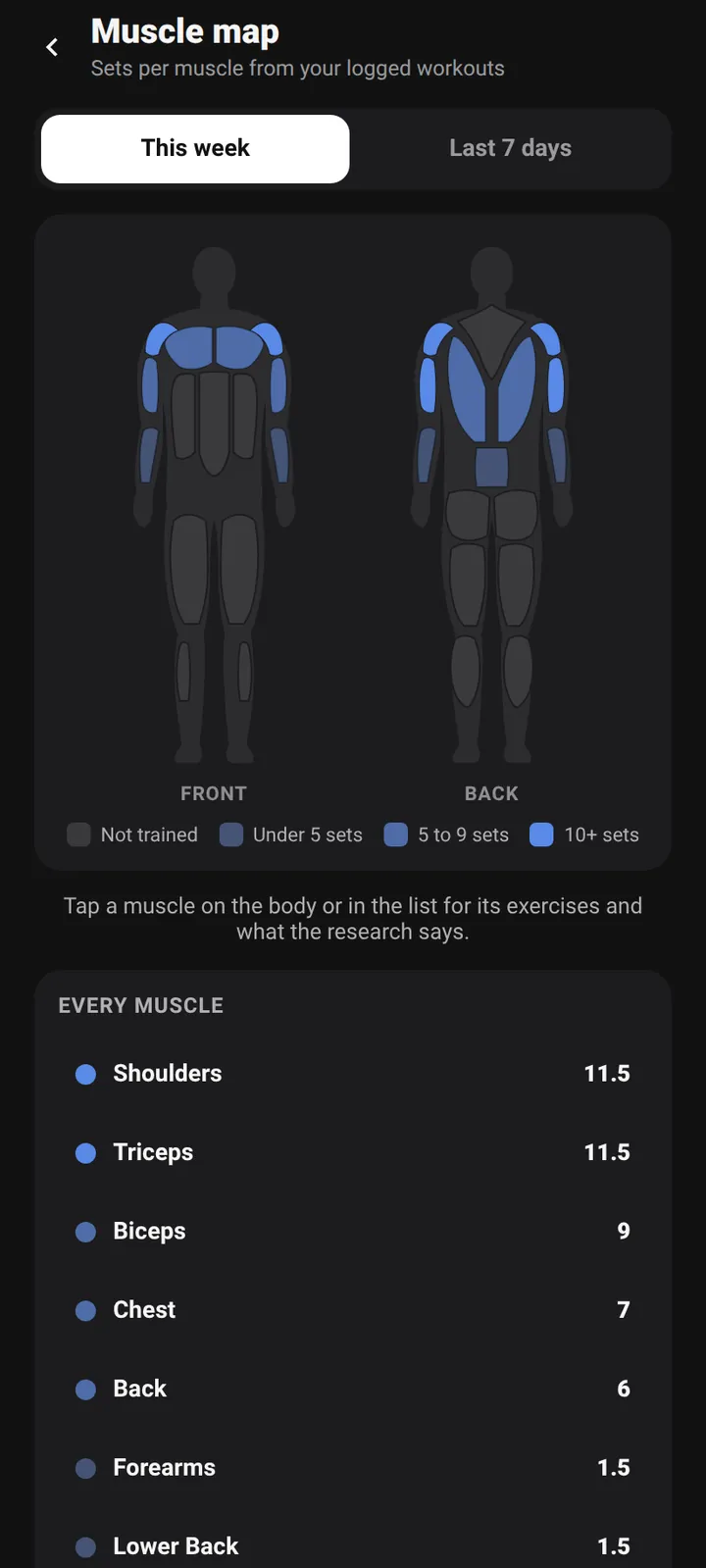
See what you trained. And what you skipped.
- A front and back body diagram colors each muscle by how many sets you did this week or in the last 7 days.
- Tap a muscle to see its exercises. The list underneath ranks every muscle, so gaps are easy to spot.
Progress
A trend you can read.
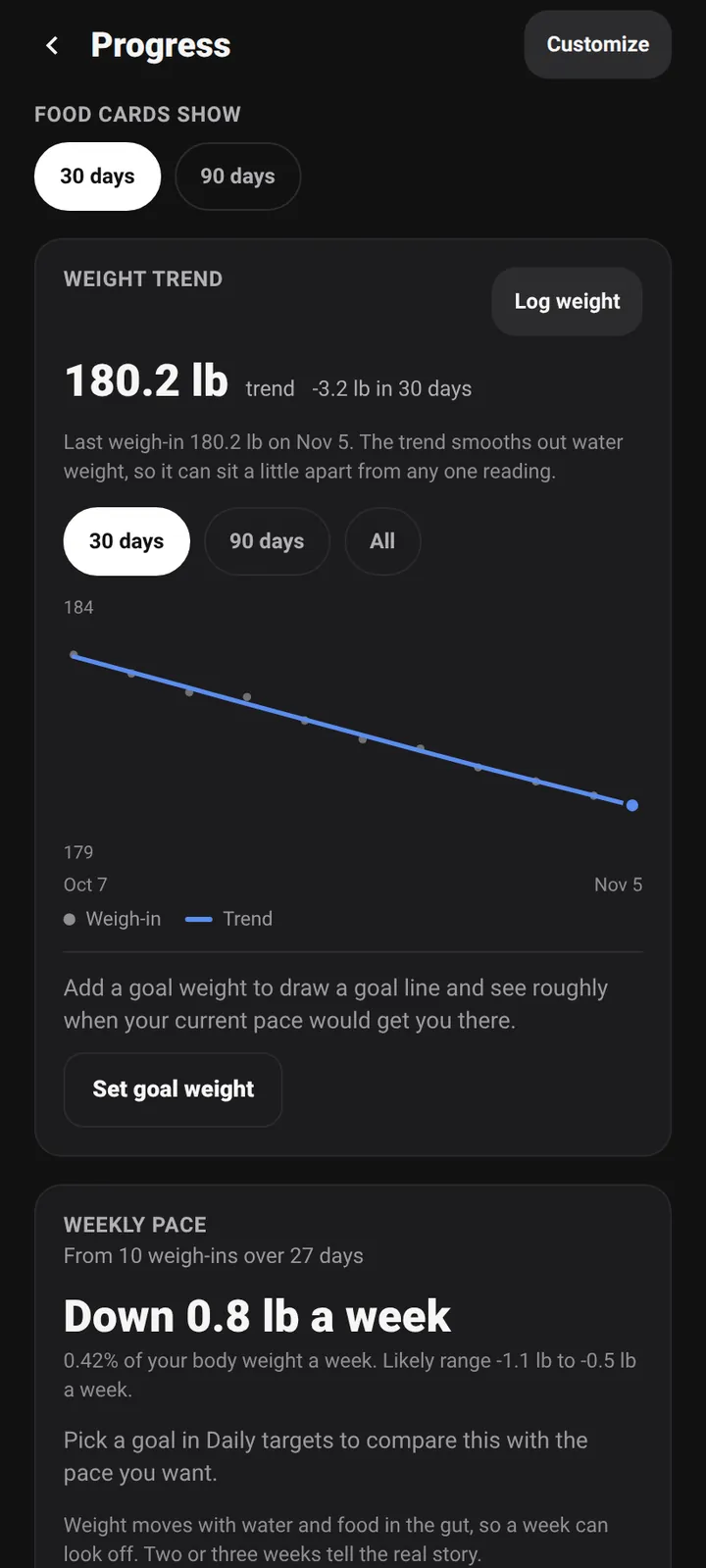
- A weight trend that smooths out water swings, so one heavy morning does not look like progress or failure.
- A weekly pace check compares how fast you are changing with the pace your plan asked for. Set a goal weight and see roughly when you reach it.
- Calorie and macro charts, and body measurements for waist, chest, hips, arms and thighs, all optional.
Weekly recap and check-in
The whole week in one place.
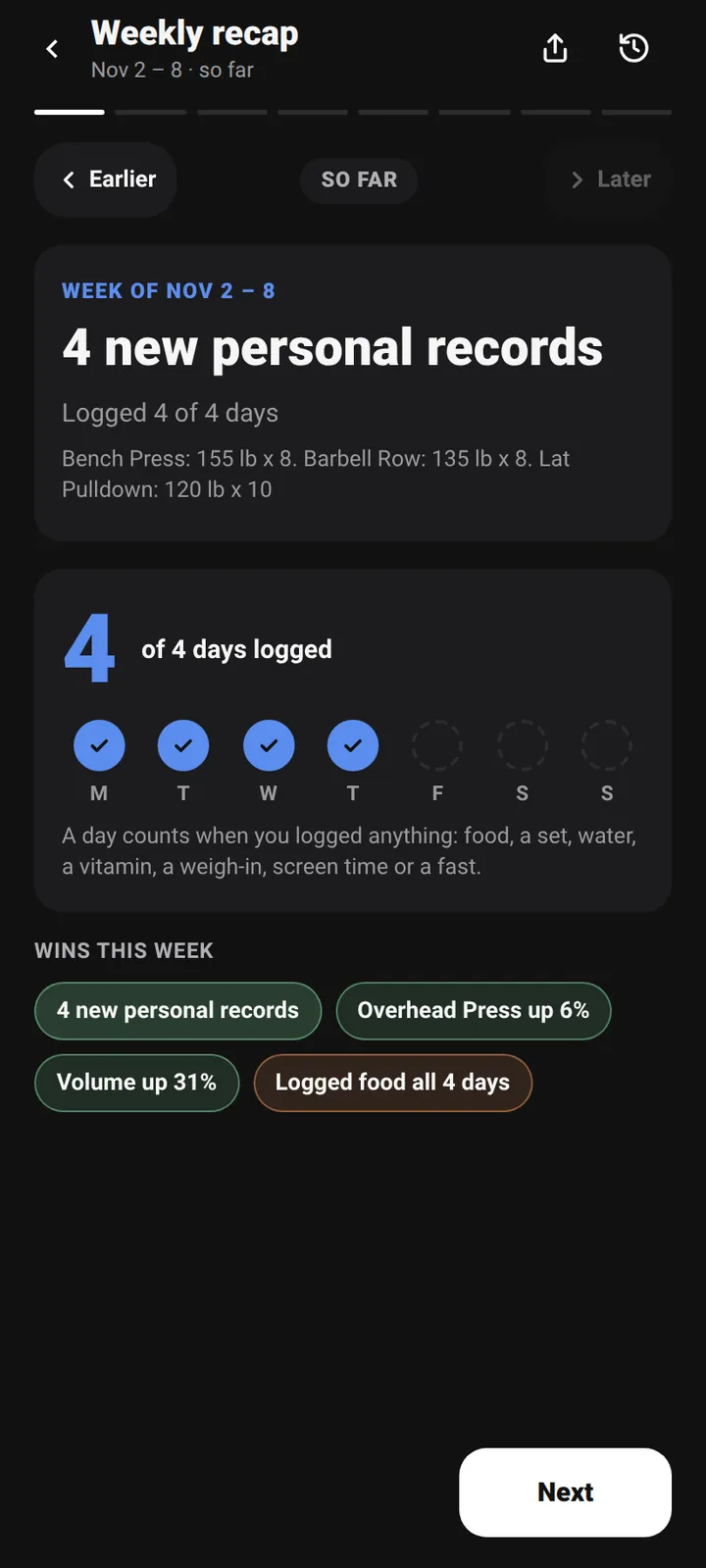
- A recap each week of food, training and wins. A day counts when you logged anything: food, a set, water, a weigh-in, screen time or a fast.
- A short check-in asks about energy, sleep, recovery, mood and how closely you followed the plan, then sets one focus for next week.
- Missed a day? Mark it. Estimates are labelled and never count toward streaks or badges.
Screen time
A number you set and a budget you choose.
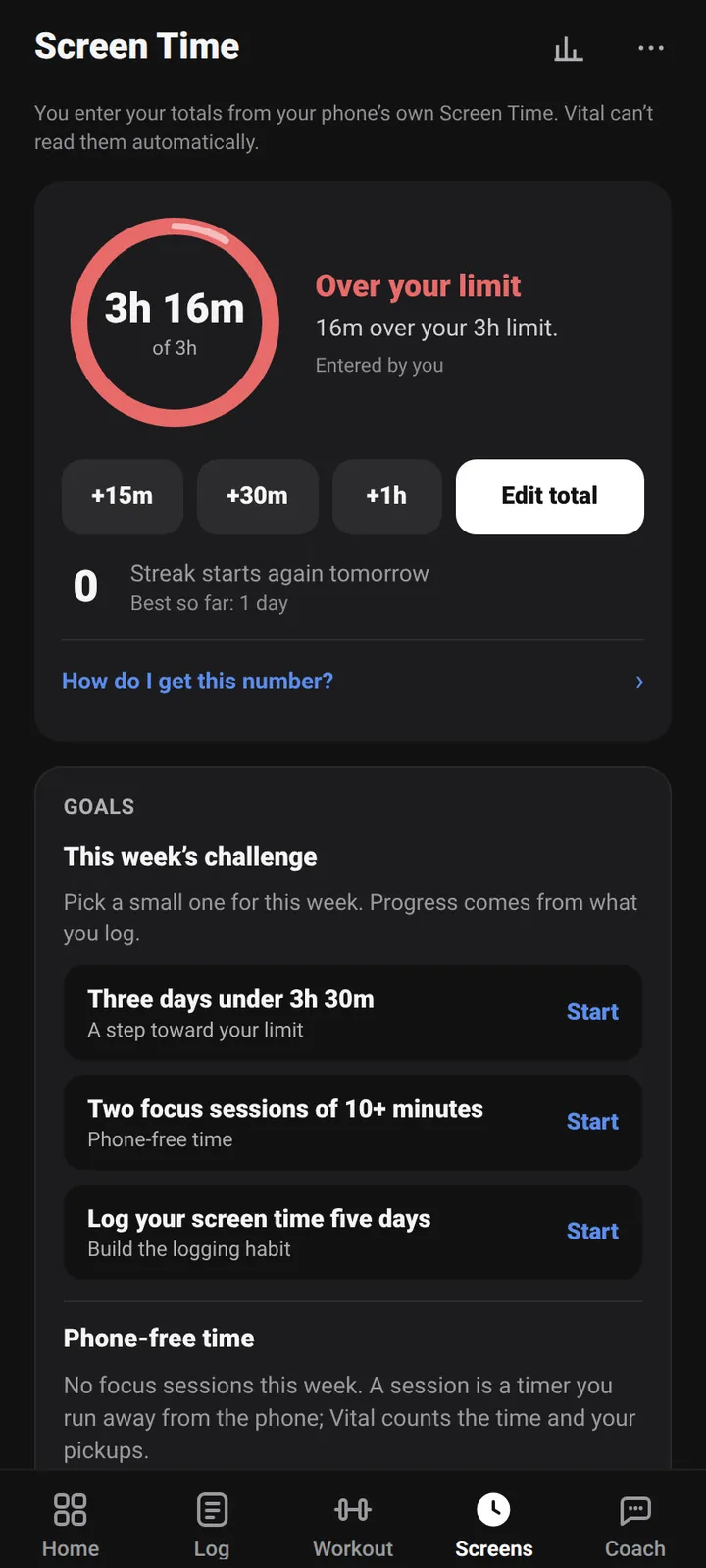
- Set a daily budget, enter your total from your phone's own Screen Time with a few taps, and watch the trend.
- Focus timers run away from your phone and count the time. They cannot block other apps.
- Vital cannot read your phone's usage automatically, so the total is something you enter. We would rather say that than pretend.
Badges
Rewards for showing up.
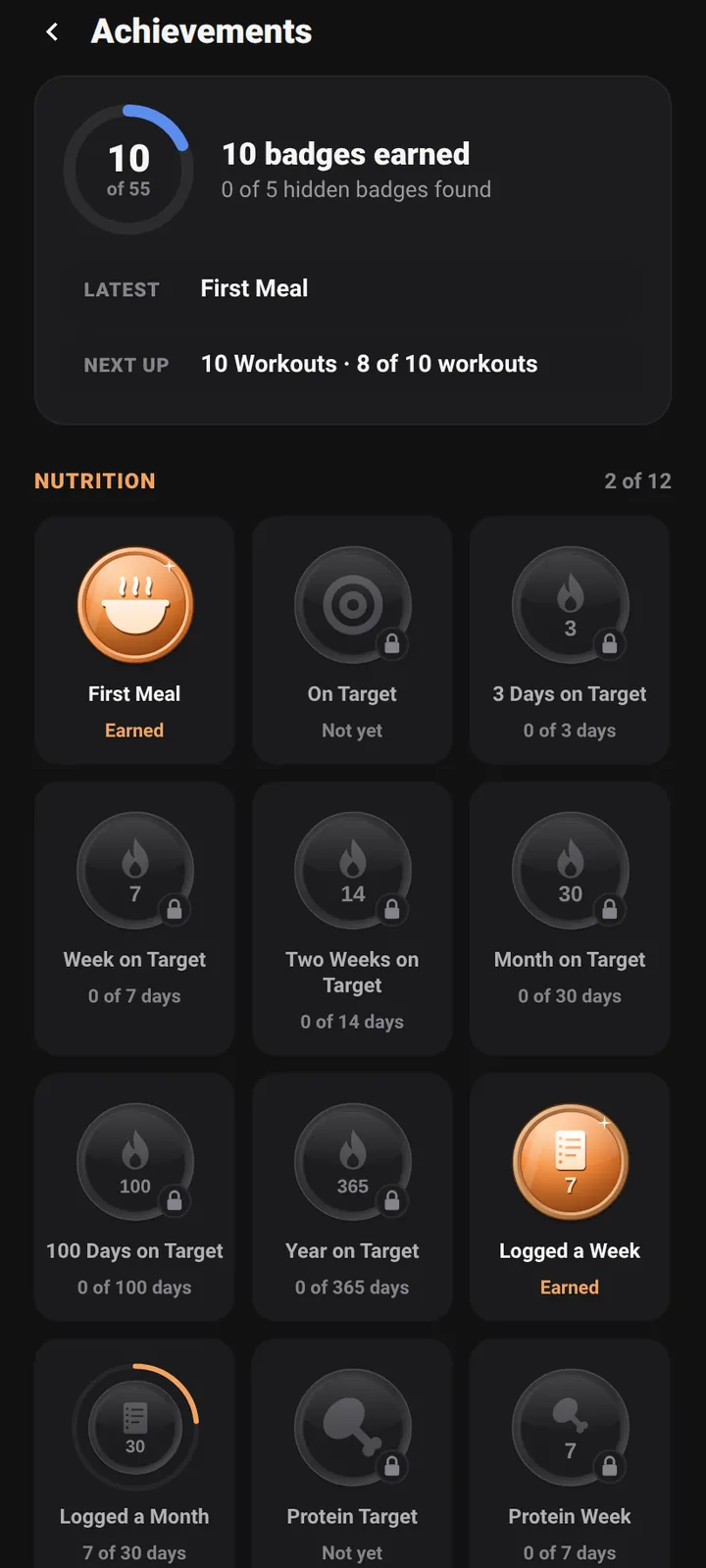
- Badges for first meals, streaks, workouts and personal bests. Locked ones show how far along you are.
- Only real logging counts. Estimated days never earn a badge or extend a streak.
Make it yours
Your colors. Your Home.
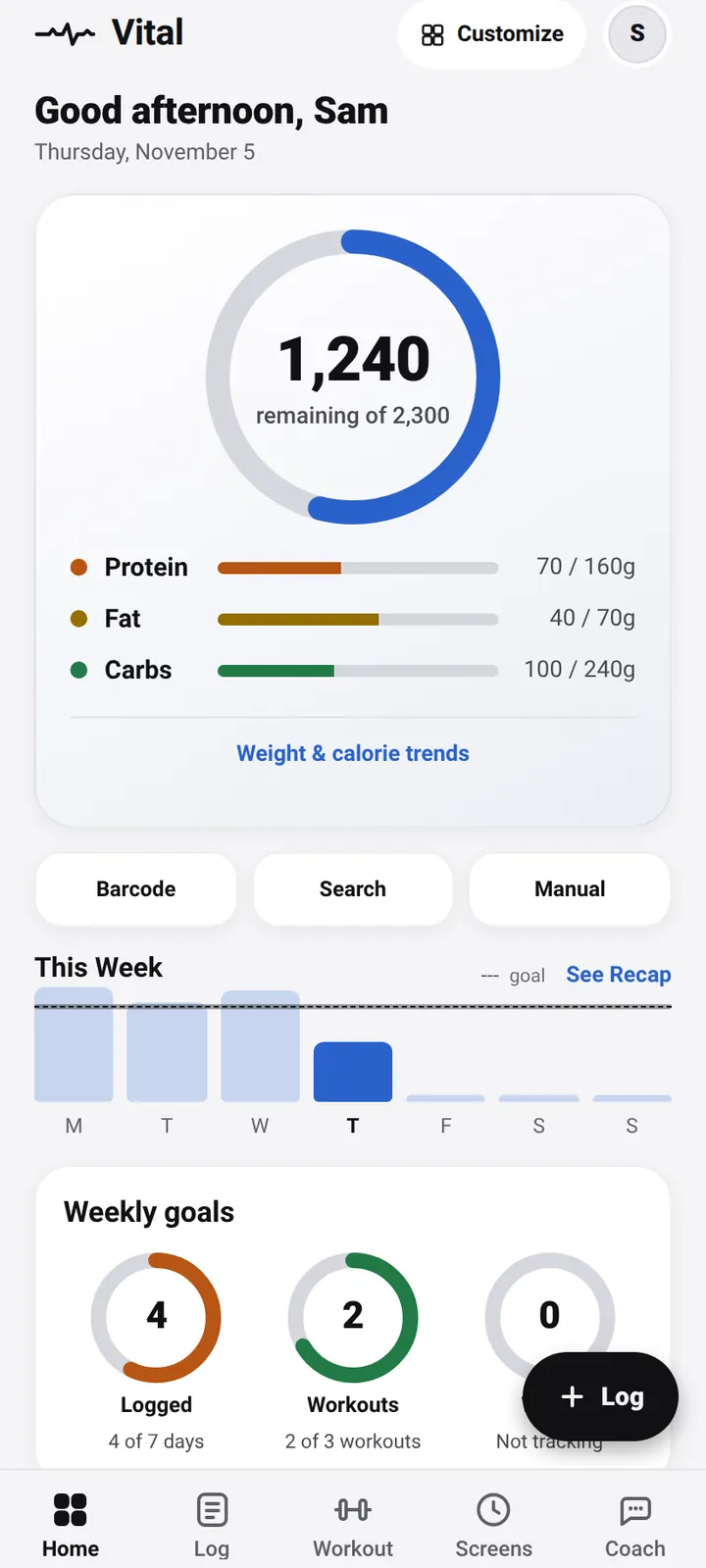
- Light, dark, true black or follow your phone. Pick an accent color. Rearrange Home: choose a layout, switch cards on and off, reorder them and edit the shortcuts.
- Pounds or kilograms, your first day of the week, and a PIN lock when you want one.
Coach and AI connections
Your AI, if you want one.
Vital has no built-in AI in the first release. The coach gives rule-based quick answers from your own log. You can add your own key from Google Gemini, OpenRouter, Anthropic or OpenAI to chat with an AI, and you choose which parts of your log it can see and can read exactly what is sent. You can also connect Claude or ChatGPT to your log with an access token. Connecting is a Premium feature.
Privacy and control
Your data stays yours.
- No ads. We do not use your health data to show ads and we do not sell it.
- Your AI key and chats stay on your phone. Vital's servers never see them. The one exception is a reply you choose to report.
- The camera is for barcodes only. Photos are not saved or uploaded. Looking up a product sends only the barcode number to Open Food Facts.
- Export or delete in the app. Settings has both. Here is how to delete your account, with or without the app.
- This website sets no cookies and runs no analytics or advertising scripts.
The Privacy Policy is the document that counts. If this page ever disagrees with it, the policy is right. Vital is not a medical device and does not give medical advice.
Try it in the beta.
Android first. Free to start.